Finanzas – Your financial portal on the FOCBS ePortal
Finanzas is a central financial portal provided by the FOCBS in ePortal. Companies can access an up-to-date overview of their financial situation with the FOCBS at any time and can conveniently retrieve important financial information and documents online.
Your benefits at a glance
If you receive invoices from the FOCBS in connection with customs clearance via Passar or from areas such as Camiuns (www.lsva.ch), this tool offers you the following benefits:
- View your current debtor status: keep track of your financial situation at all times and check your current debtor status.
- Check pending and overdue invoices: view all your current transactions, as well as due and overdue invoices.
- Download documents: by accessing Chartera Output, you can download important documents such as invoices, decisions or reminders at any time.
Getting started with Finanzas
To access Finanzas, you need a valid business partner ID (BP ID) and the “Financial information” role.
Access to Finanzas is set up as part of the onboarding process. Business partners who are already registered can request the “Financial information” role in Connex under “Add business partner role”.
You then set up the required user profiles and assign the relevant permissions to the responsible employees. Early setup ensures that all parties involved can access Finanzas from the outset and carry out their tasks without delay.
How to access Finanzas
You can access Finanzas in the ePortal.
Main view
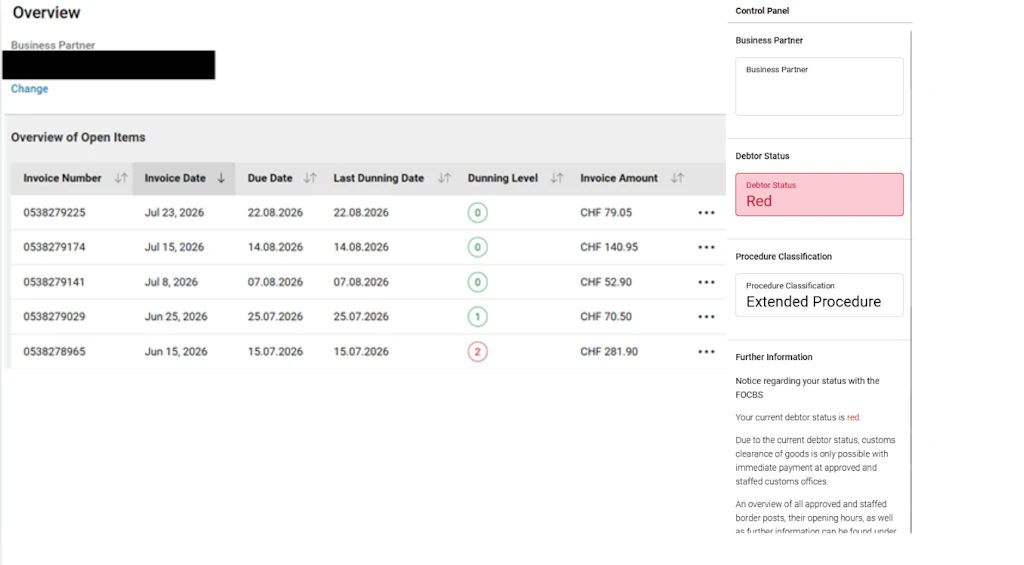
The main view clearly displays all current transactions – including the current stage of reminders.
You can also see key information at a glance:
- Business partner’s name and address
- Current transactions, including invoice date, last reminder, stage of reminder and invoice amount
- Procedure classification (simplified or extended procedure)
- Further functions are available via the three-dot menu, including a direct link to Chartera Output.
Reasons and recommended actions
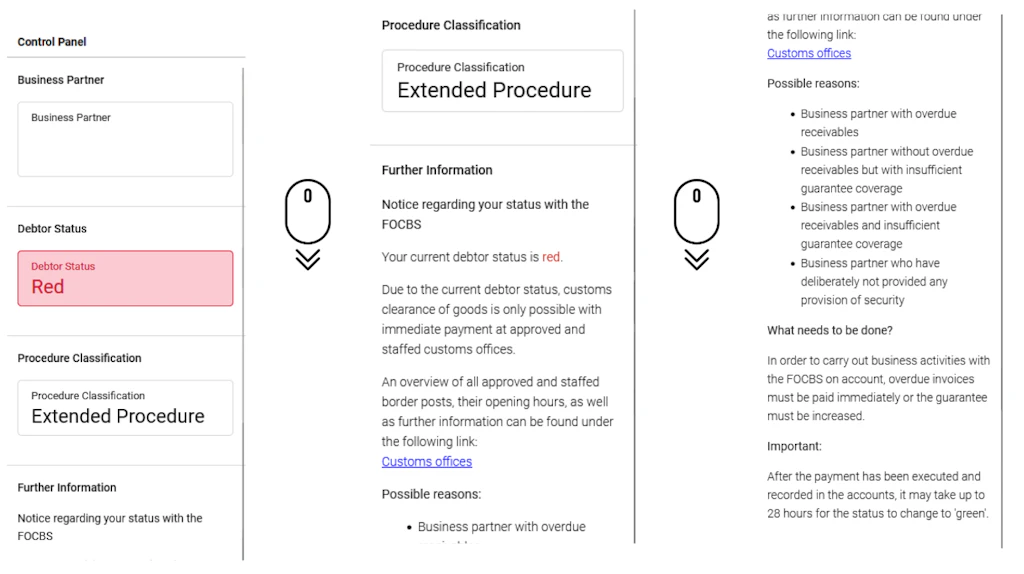
In addition to the current status, the reasons for the respective procedure status and possible measures are clearly displayed.
This enables you to make informed decisions and take targeted action.
In addition, the following information is directly available to you:
- Reasons for the current procedure status
- Recommended actions for the next steps
- List of offices for immediate payments
- Guidance and support for the next steps in the procedure
All relevant information is centrally collated and readily available at all times – ensuring your transactions are processed efficiently and transparently.